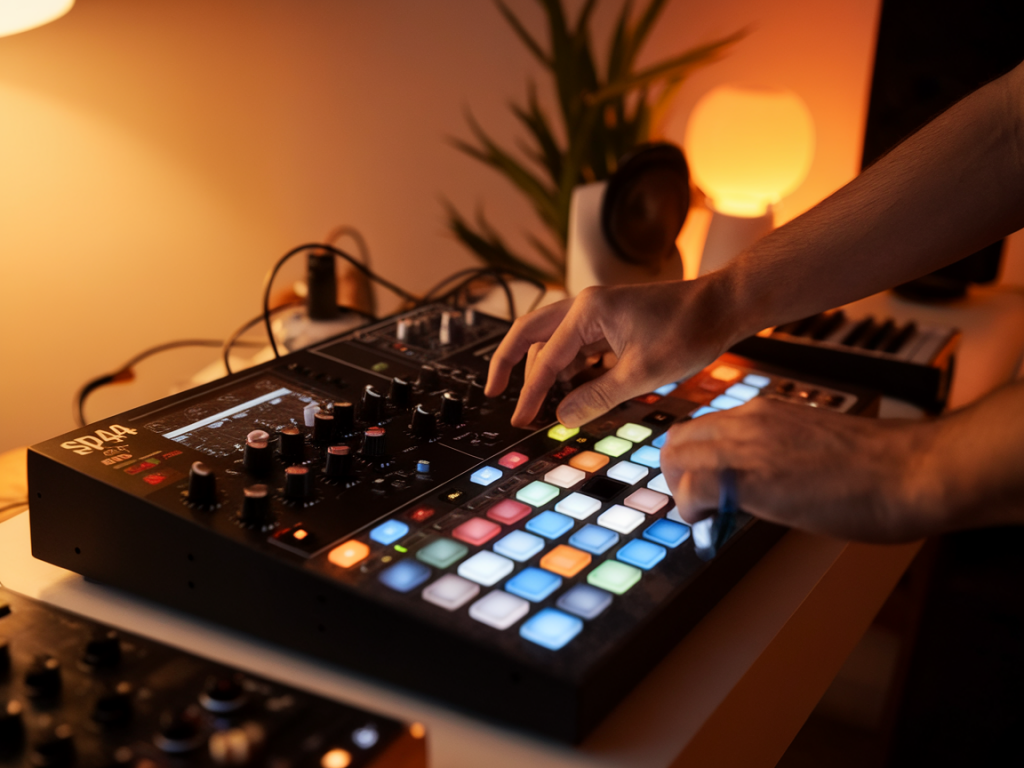
I love making lo-fi drum beats on the SP-404 because it forces me to be creative within limits. The unit's tactile workflow, immediate effects, and resampling capabilities make it perfect for building dusty, shuffling grooves that feel lived-in rather than overly processed. In this piece I’ll walk you through a practical SP-404 workflow I use to create convincing lo-fi drums — from sample selection to final touch-ups — and explain the why behind each step so you can make choices that suit your own sound.
Why the SP-404 is great for lo-fi
First, a quick word on why I reach for the SP-404 for lo-fi drums. It’s not the most pristine sampler, and that’s the point. The on-board effects (Spring Reverb, Vinyl Sim, Tape Echo, Compression, DJFX Lo-Fi, etc.) and the ease of resampling encourage experimentation. The workflow is hands-on: you can chop, pitch, slice, and resample in a few minutes and end up with textures that feel analog and imperfect — exactly what lo-fi often needs.
Choosing and preparing samples
Everything starts with sample selection. I tend to combine three kinds of sources:
I often begin with a short vinyl drum loop — something with character rather than perfect timing. If you don’t have records handy, sites like Splice or free sample packs can work; but I’ll usually run those samples through the SP first to give them character.
On the SP-404, I import or sample the loop to a pad, then immediately hit Resample to commit the sound with the SP's internal effects. Try a light Vinyl Sim or Lo-Fi to add grit, and then play with the filter to roll off top end. That first resample is about capturing texture — not a polished beat.
Chopping and arranging on the SP
I love chopping loops on the SP because it lets me recompose grooves in a spontaneous way. Use the Trim/Start-End controls to isolate hits or small slices, then assign them to pads. Keep these tips in mind:
When arranging, I program a basic pattern into the internal sequencer or play it live while recording into a new pad. The SP’s sequencer is simple but effective for building loops and locking in grooves quickly.
Adding swing and humanization
Straight quantization rarely sounds lo-fi. I typically dial in swing either in my DAW after exporting or by nudging slices and hits on the SP. Here are techniques I use on-device:
These tiny imperfections make grooves breathe. If I want a more mechanical beat, I’ll deliberately tighten some elements and keep others loose.
Using effects creatively
Where the SP shines is its effects. Here’s my typical FX chain on the SP during the creative phase, and why each matters:
I often resample after applying effects: once I like the texture, I record the output back into a new pad and continue layering. This “resample, process, resample” loop is essential for building complex lo-fi textures on the SP.
Layering and processing outside the SP
Often I transfer a resampled SP loop to my DAW for deeper processing. Even though you can do a lot on the SP, a couple of external steps help finalize the drums:
A quick EQ helps: cut around 2–4kHz if the loop is too aggressive, boost 100–200Hz for warmth, and carve some mids for clarity. Remember that lo-fi is about character, so don’t over-polish.
Adding ambience and imperfections
What really sells lo-fi is ambience. Tiny background noises, tape wow & flutter, and vinyl crackle create a sense of place. I use:
On the SP you can resample these ambiences with the drums so they sit naturally in the soundscape. Don’t be afraid to automate effect parameters live while resampling — a live tweak of the spring reverb or tape delay speed can produce serendipitous results.
Mixing considerations for lo-fi drums
When I mix lo-fi drums, I aim to keep energy without seeking clinical clarity. Some go-to rules:
I sometimes bus the entire drum loop through a tape emulation plugin, then parallel compress. The tape glue adds harmonic richness and evens dynamics without killing the human feel.
Practical SP settings I use
| Setting | Typical Range/Value |
| Vinyl Sim | On, low-medium intensity |
| Tape Echo | Short delay, feedback 10–30% |
| Filter | Low-pass around 6–10 kHz |
| Compression | Moderate ratio (3:1), slow attack |
| Resample depth | Resample after each big change to commit texture |
Tips I keep coming back to
There’s no single “correct” way to make lo-fi drums. The SP-404's strengths are immediacy and character; use them to craft beats that feel personal. My favourite sessions are ones where a happy accident — an extreme tape echo setting or a misaligned slice — becomes the core of the groove. Try to set up a little framework, then let the machine surprise you.
If you want, I can share a short SP patch I often start from (list of effects and parameter values) or walk through a timed, step-by-step example one evening — just tell me your SP model (SP-404, SP-404SX, or SP-404MKII) and whether you use an external interface or record straight into a laptop.